
The person profile is where you can get to know a person prior to meeting or taking a call with them. The information will help guide your conversation and provide them actionable advice.
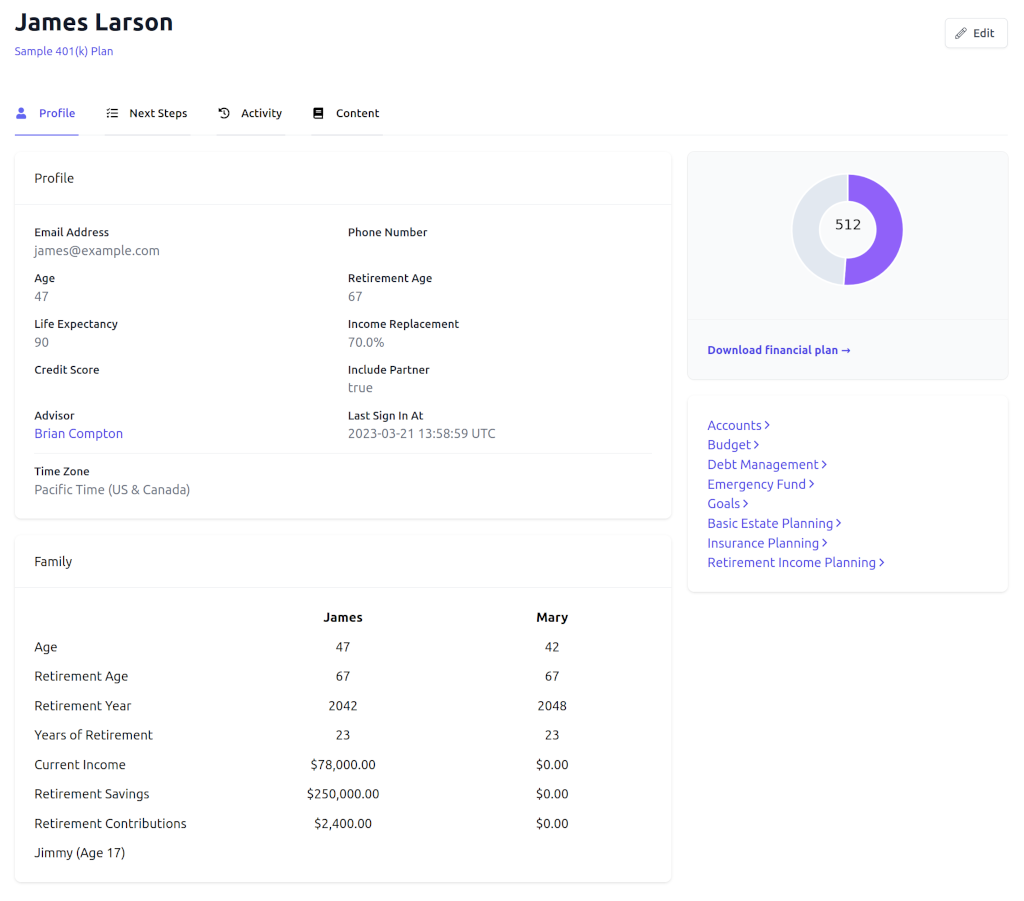
The profile is broke down into sections:
Family
The person’s family is listed here and you can add new family members if you are helping them build their profile.
Goals
These are the financial goals that the person entered into Wallet1000.
Income
The person’s household income is listed here. When entering income it is important to input both gross income (used for retirement projection purposes) and net income (used for budgeting).
Accounts
This is where all of a person’s accounts are listed. You can click on an account and update the balance, interest rate (for debt), projected returns (for assets), monthly payments (for debt), monthly contributions (for investment accounts), and account type.
Retirement
The retirement section of the person profile shows two projections of the person’s monthly retirement income: age-based projections and account-based projections.
The age-based retirement projection assumes that a person’s retirement portfolio gets more conservative as they near retirement. This projection is probably what you should reference with people that are under 40.
The account-based retirement projection uses the projected returns that the person entered for each of their retirement accounts. This allows for a more granular retirement projection and would be more applicable for people that are twenty or less years from retirement.
Next Steps
This shows all of the financial wellness next steps that have been assigned to a person and whether or not they have completed them. You can assign additional personal finance tasks to them.
Content Library
This is content that you can provide to the people. You can either download it here or attach it to emails you send through the People Engagement Platform.
Financial Wellness
These are links to the exact screens that the person sees when they use the Wallet1000 Financial Wellness Platform.
Custom Fields
If you have set up any person-level custom fields you can update their values here.
